
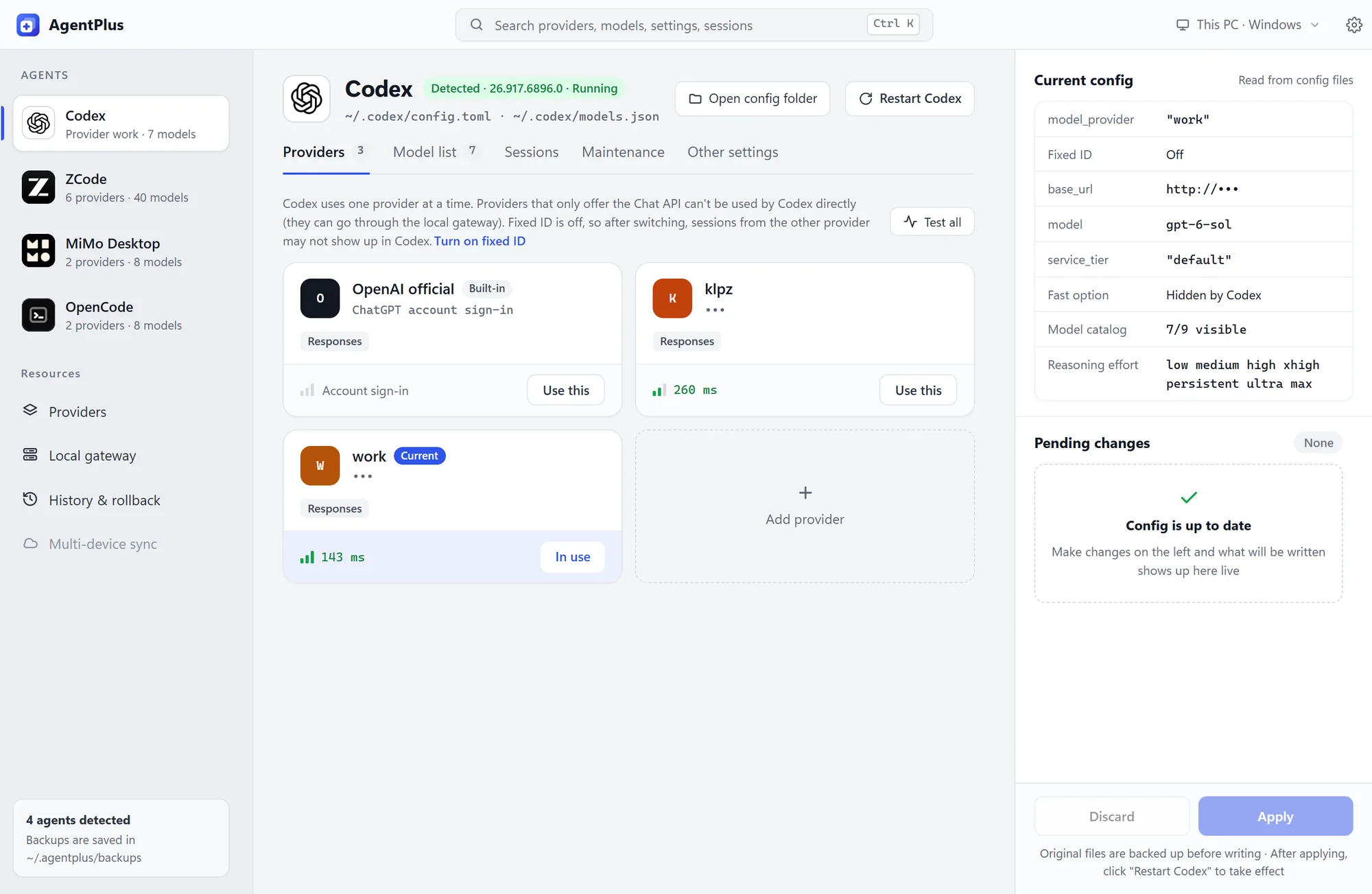
Provider library
Keep every provider in one place and push it to the agents you pick. 19 built-in vendor and coding-plan templates — just add your API key.
Codex, Claude Code, OpenCode, Gemini CLI… every agent has its own config format. AgentPlus reads them all into one app: set up a provider once, push it to any agent, preview the diff, back up automatically and roll back anytime.
Works with 15 AI coding agents
Providers, model lists and a local gateway, gathered from a dozen config files into one app.
Keep every provider in one place and push it to the agents you pick. 19 built-in vendor and coding-plan templates — just add your API key.
Choose which models show up in each agent's picker. Fetch a provider's model list directly, with fields like context window.
Changes wait in a pending list. Review each diff before writing, then restart the agent in one click.
Converts between OpenAI Chat, OpenAI Responses and Anthropic Messages in real time, including streaming and tool calls, with an error breaker and live traffic, latency and failure stats.
The original file is backed up to ~/.agentplus/backups/ before every write. Roll back in one click.
Measure latency, or send a tiny real request to check the URL, key and model.
Switch the target between Windows and any WSL distro, sharing one provider library.
Ctrl+Shift+H masks keys, URLs and user names — ready for screenshots and screen sharing.
Ctrl+K searches providers, models, settings and sessions.
Checks GitHub Releases and verifies the signature before installing. Lives in the tray so the gateway keeps running.
This is how AgentPlus works: see exactly what changes in each file, then write.
Sample content for the demo. The app shows the exact changes before writing.
Light and dark follow your system, in Chinese or English.
Agents that aren't installed are hidden. Installed somewhere unusual? Point AgentPlus at the config folder in Settings.
No matching agents
Version details are read live from GitHub Releases.
Windows 10 / 11 x64. Windows 10 needs WebView2, which the installer adds for you.
The installer isn't code-signed, so Windows may say "Windows protected your PC". Click "More info → Run anyway".
A dot appears on the settings button when an update is ready. Install it from Settings → General → About.
No. AgentPlus manages which providers exist and which models appear in each picker. You still choose the active model inside each agent.
The original file is backed up to ~/.agentplus/backups/ before every write, and History restores it in one click. Every change is shown as a diff before it's written, too.
No. AgentPlus is a local desktop app. Keys are written only to your agents' config files on this machine, and requests go to a provider only when you run a latency check or test.
Yes. With the local gateway on, AgentPlus translates between OpenAI Chat, OpenAI Responses and Anthropic Messages, including streaming and tool calls.
Not yet. The code compiles, but agent detection, restarts and opening folders are only implemented for Windows. From Windows you can manage agents inside WSL.
It's free, with source code under AGPL-3.0. For use outside the AGPLv3 terms (such as closed-source distribution), contact the author about a commercial license.
Download AgentPlus and connect all your agents in minutes.